How Can We Help?
Hyper-V Windows failed to restore
Hyper-V Error Message: The application encountered an error whilst attempting to change the state of Windows.
‘Windows’ failed to restore.
The Virtual Machine is using processor-specific features not supported on physical computer
Solution: This happens occasionally and one of a few Hyper-V quirks we encounter quite often. I think it is caused if the VM is doing something in the background and the host computer is shutdown, it goes into a ‘saved state’ and struggles to come out of it.
To fix the saves state issue:
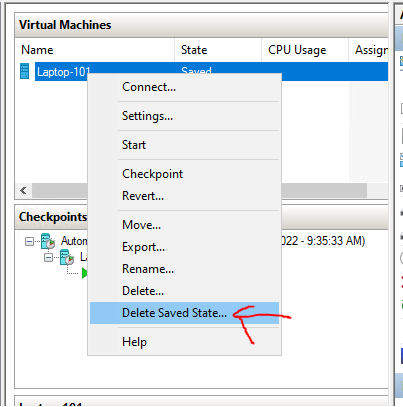
right click and select ‘Delete saved state’. (make sure you don’t click ‘delete’).
This will change the state to ‘Off’.
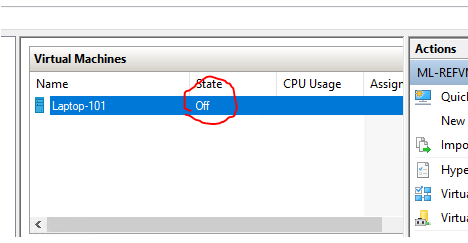
From there you should be able to just start it up again as normal.
Thanks,
Scott