How Can We Help?
After removing the tick from ‘Enhanced Session’ the VM is tiny and cannot be resized.
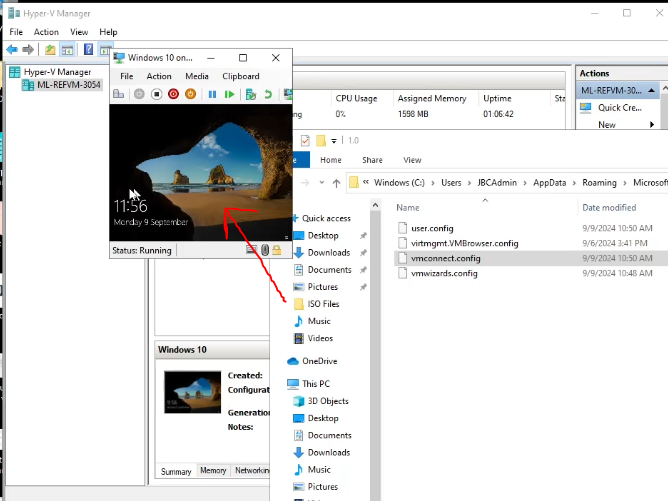
Solution: On the host computer, open FILE EXPLORER, then VIEW and tick HIDDEN ITEMS.

Visit C:\Users\JBCAdmin\AppData\Roaming\Microsoft\Windows\Hyper-V\Client\1.0
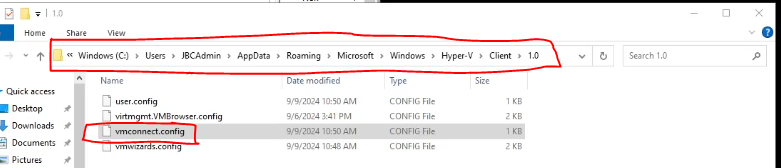
Right click vmconnect.config and select ‘Open With’
Open with Notepad
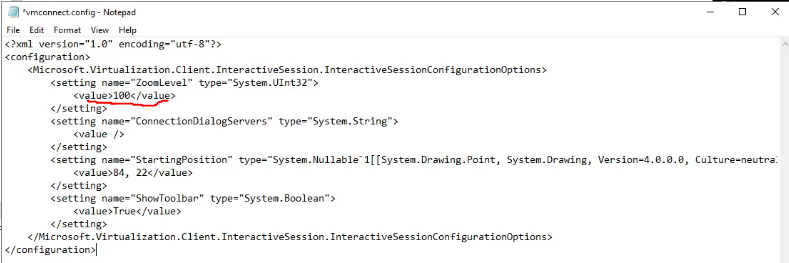
Change the value shown below to 100 and save the file.