How Can We Help?
Hyper-V – The chain of virtual hard disks is corrupted
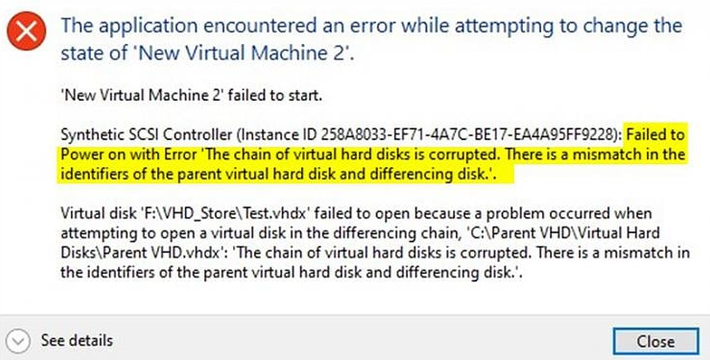
Error Message: The Application encountered an error while attempting to change the state of ‘VM’. Synthetic SCSI Controller Failed to power on with error ‘The chain of virtual hard disks is corrupted’.
Solution: Open a PowerShell prompt as Administrator, then use the following command to link the checkpoint with the parent.
Set-VHD -Path “C:\Users\Public\Documents\Hyper-V\Virtual hard disks\checkpoint.avhdx” -ParentPath “C:\Users\Public\Documents\Hyper-V\Virtual hard disks\parent.vhdx” -IgnoreIdMismatch
*you will need to adjust the paths according to your exact VM, contact your tutor for help with this – we will be adding a video for this soon!